To pull statements in Synergy, do the following:
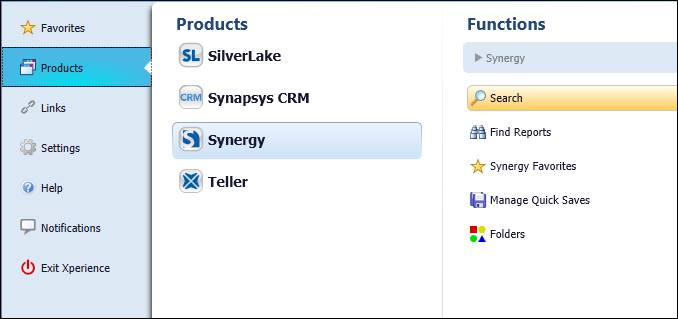
- In Xperience > Products > Synergy > Search
- In the Search field, use the drop-down arrow to choose Statements - last 24 months.

- Enter the statement date range you are looking for.
- Enter the account number.

- In order to see where a statement begins and ends, look at the running page number. A new statement will be a completely different series of numbers.
- In the example below, statement #1 consist of pages 69634 and 69635, while statement #2 consist of pages 70957 and 70958.

- In the example below, statement #1 consist of pages 69634 and 69635, while statement #2 consist of pages 70957 and 70958.