To assess or refund fees, do the following:
- Verify the identity of the client by using one of the following:
- In Xperience > Customer & Account Inquiry
- Enter the client's name (LAST name FIRST name), CIF # or TIN and click OK.
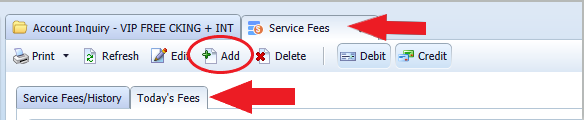
- Click Related Functions > Service Fees
- Click Today's Fees.
- Click Add.
- In the Fee Code field, use the drop down arrow to choose the appropriate fee code.
- In the Remarks section, enter details of the fee charged.
- Click OK to assess or refund the fee.