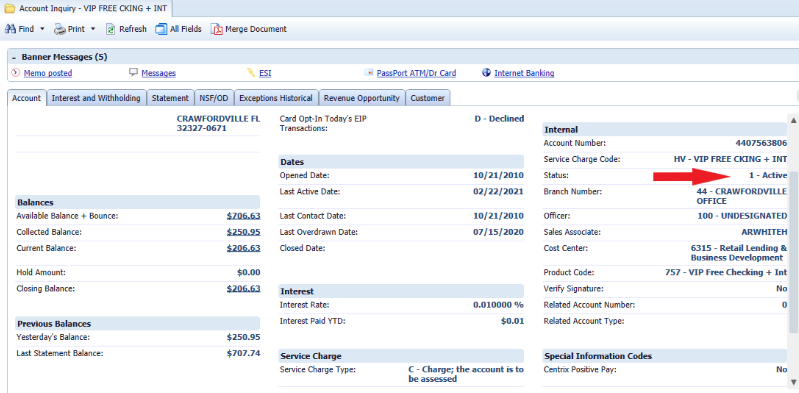
In order to check the status of a client's account do the following:
- In Xperience > Customer & Account Inquiry.
- Enter the client name, account number, Client Information File (CIF) or Tax Identification Number (TIN).
- Click Search.
- Click the Account tab to verify the account status.
- To reactivate an escheated account, or to close an escheated account that has an available balance, click one of the following: