Clients with dormant accounts can request to reactivate their account .
To reactivate dormant accounts, do one of the following:
Account Transaction
Deposit Transaction
- Obtain a valid identification from the client.
- Complete a Deposit Ticket with the following information:
- Date
- Deposit amount
- Client ID number and expiration date
- Client signature
- Accompany the client to the teller to process the deposit as an offline transaction.
See Depositing Funds to Dormant Accounts for additional information.
Cashed Check
- In Xperience > Customer & Account Inquiry
- Search for the client by name, CIF, account number or TIN
- On the Account tab, view available balance to ensure sufficient funds to cover the check amount.
- Accompany the client to the teller to process the cashed check request as an offline transaction.
See Cashing Checks Drawn on Dormant Accounts for additional information.
No Transaction
Clients with dormant account can request to reactivate their account even if no transaction is necessary. The client is required to provide the bank with a written request to reactive the account using one of the following:
In Person
- Complete the Dormant Account Reactivation Request - No Transaction Form.
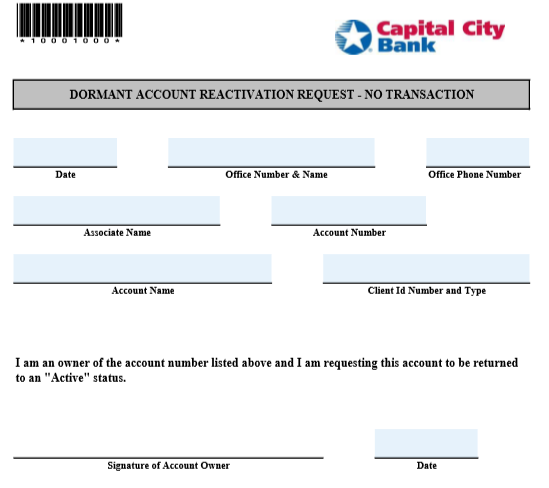
- Have the client verify all information on the form and sign in the designated area.
- Place the form and any supporting documentation with the daily work for imaging.
By Phone
- Complete the Dormant Account Reactivation Request-No Transaction Form.
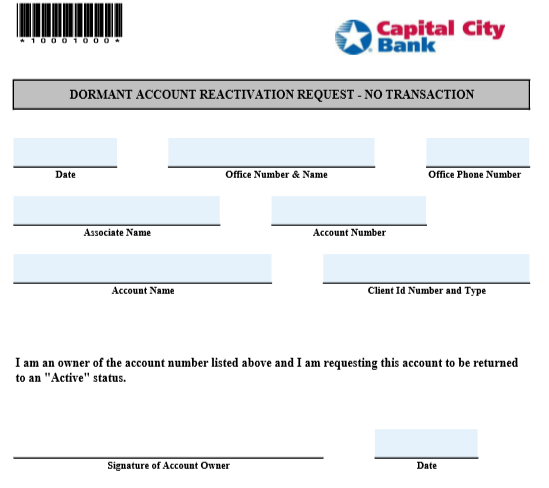
- In the Signature area write See Attached.
- Obtain one of the following from the client:
- Signed CCB Client Due Diligence Letter
- Signed letter from client requesting account be reactivated
- Online Banking secure email from client
- Place the form and any supporting documentation with the daily work for imaging.